
Thanks for purchasing the Aprilia-UpMap T800+!
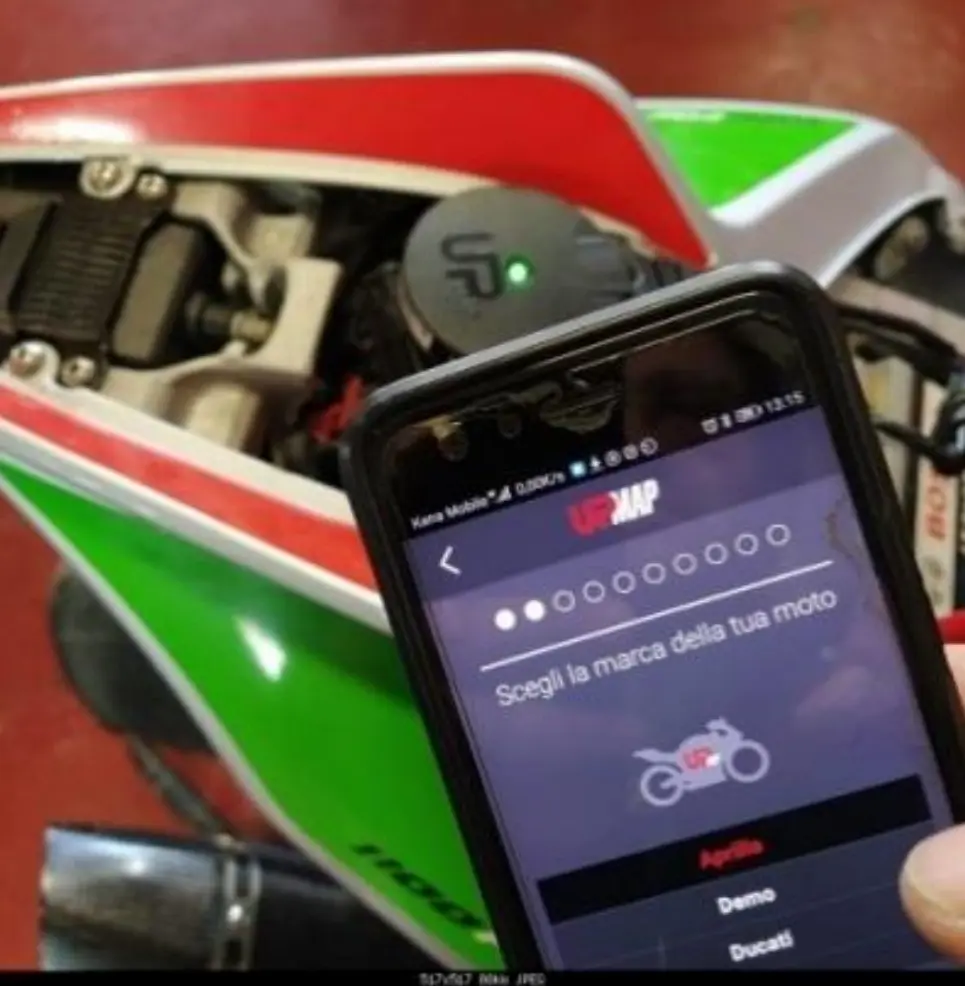
Installation Procedure
- Download & Connect:
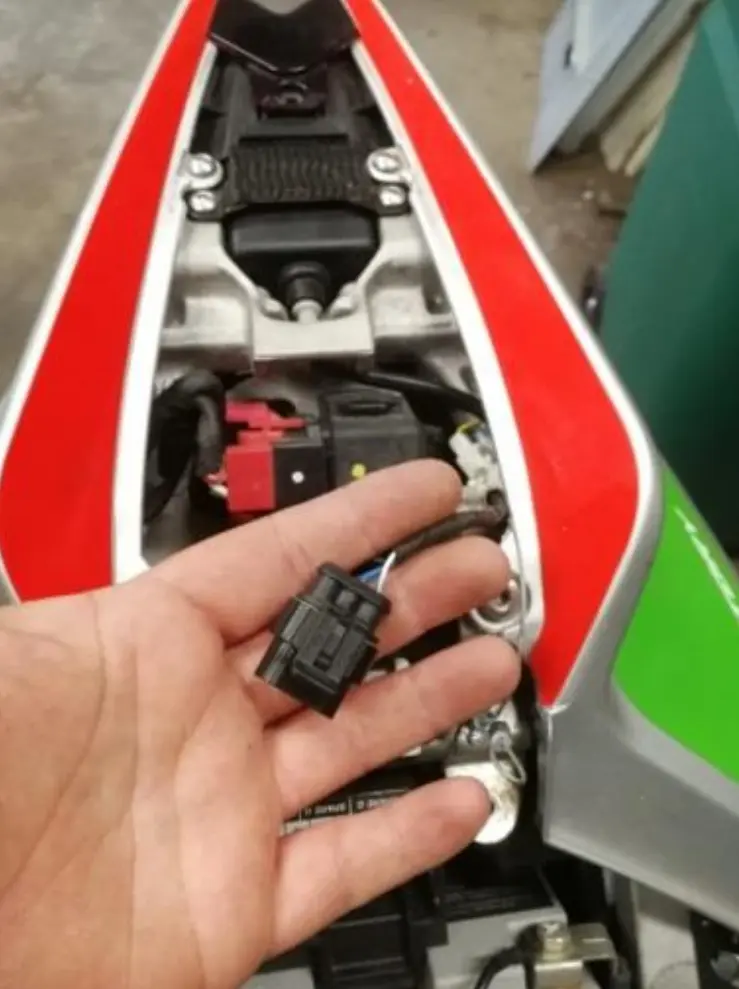
Download the UpMap App on your phone. Connect the T800+ to the bike diagnostic port using the supplied cable. Identify your cable type:- 2009-2020 (Cable “MARELLI”): Fits the flat black diag port under passenger seat. Connect the fused wire to the +12V battery terminal.

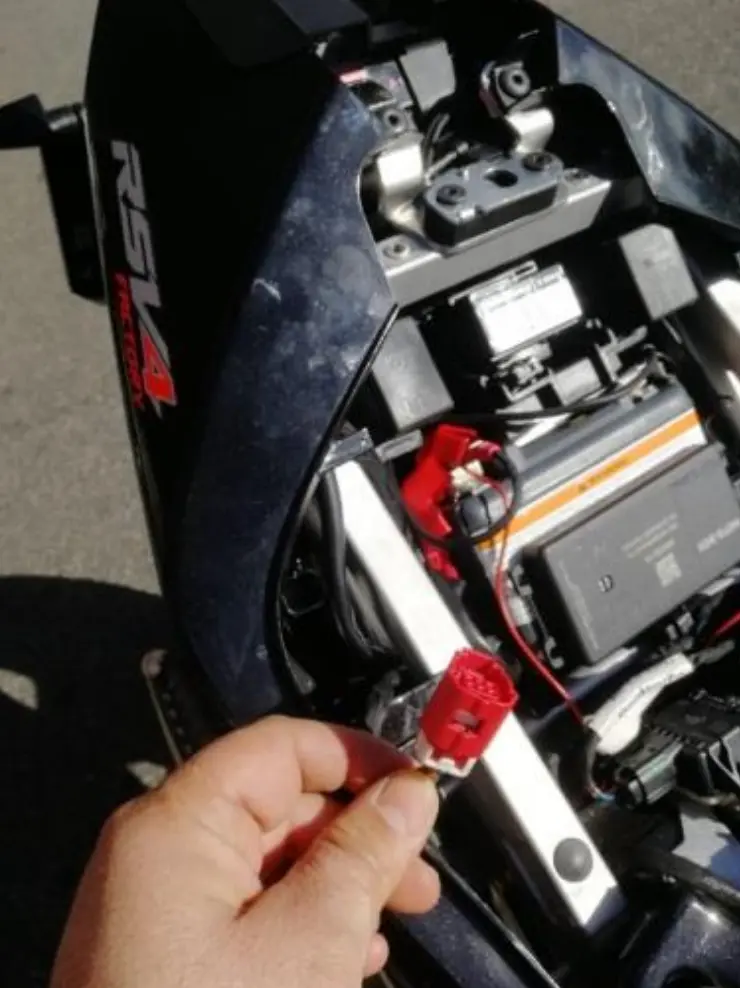
- 2021+ (Cable “EURO5a”): Plugs into the red square diag port under the rider seat.

- 2009-2020 (Cable “MARELLI”): Fits the flat black diag port under passenger seat. Connect the fused wire to the +12V battery terminal.
- Pairing:
Pair the T800 to the App following the App instructions and register your bike. The T800+ will recognize your bike model (in some cases VIN input is required).
Note: The tool can only be paired to ONE bike and can’t be reset. - Map Download:
First, download the Stock OEM map (this is your backup). Then go to the Map Store to find the ASpecialParts tuned map for your mods.🎁 FREE MAP COUPON:
Use the code GRTMAP at checkout to download your tuned map for free! (Value: €118). - Flash the ECU:
Follow the App instructions to flash the bike. The T800 will perform all needed adaptations at the end, asking you to cycle ignition on/off.⚠️ CRITICAL WARNING:
During the flash process:- Do NOT disconnect the App or T800.
- Do NOT turn off the bike ignition.
- Do NOT move the phone out of Bluetooth range.
- Ensure both Phone and Bike batteries are fully charged (connect a charger if unsure).
- Final Checks:
After the reflash, check the dash electronics set-up (TC, AW, Engine Mode) and reset them to your preferred values. The T800+ can now be removed.
Model Specific Notes
For 2009-2010 RSV4 (pre-APRC):
If you lose speed indication after flashing, it means your bike was not updated to APRC map before. You need to perform an APRC Traction Control switch-off via an external diag tool. This also enables the Quick Shift function included in the UpMap.
For 2021+ RSV4 / Tuono V4:
Your ECU must be updated to at least the Aug 2021 Aprilia release. If you get the error “please update and setup ECU at dealer before UpMap”, you must visit a dealer for an official update before using this tool.
Attention:
This is a race product to be used in closed circuits, not intended for street use.
Your vehicle official warranty may be affected by the use of this tool.
Follow us on Facebook and Instagram: @aspecialparts & @gabroracing


